Thank you for helping us test Nerveli
We’re excited to have you as part of our testing community. Your feedback helps us improve the experience and build a better app for everyone living with chronic pain.
Getting started only takes a few minutes, and no technical experience is required.
Before you begin
Please make sure you have:
- A compatible smartphoneAndroid 9 or later
- A stable internet connection
- The testing invitation email we sent you
- Access to the Google account associated with your device
Can’t find your invitation email? Check your spam or junk folder. Still missing? Reach out to us and we’ll happily resend it.
App installation
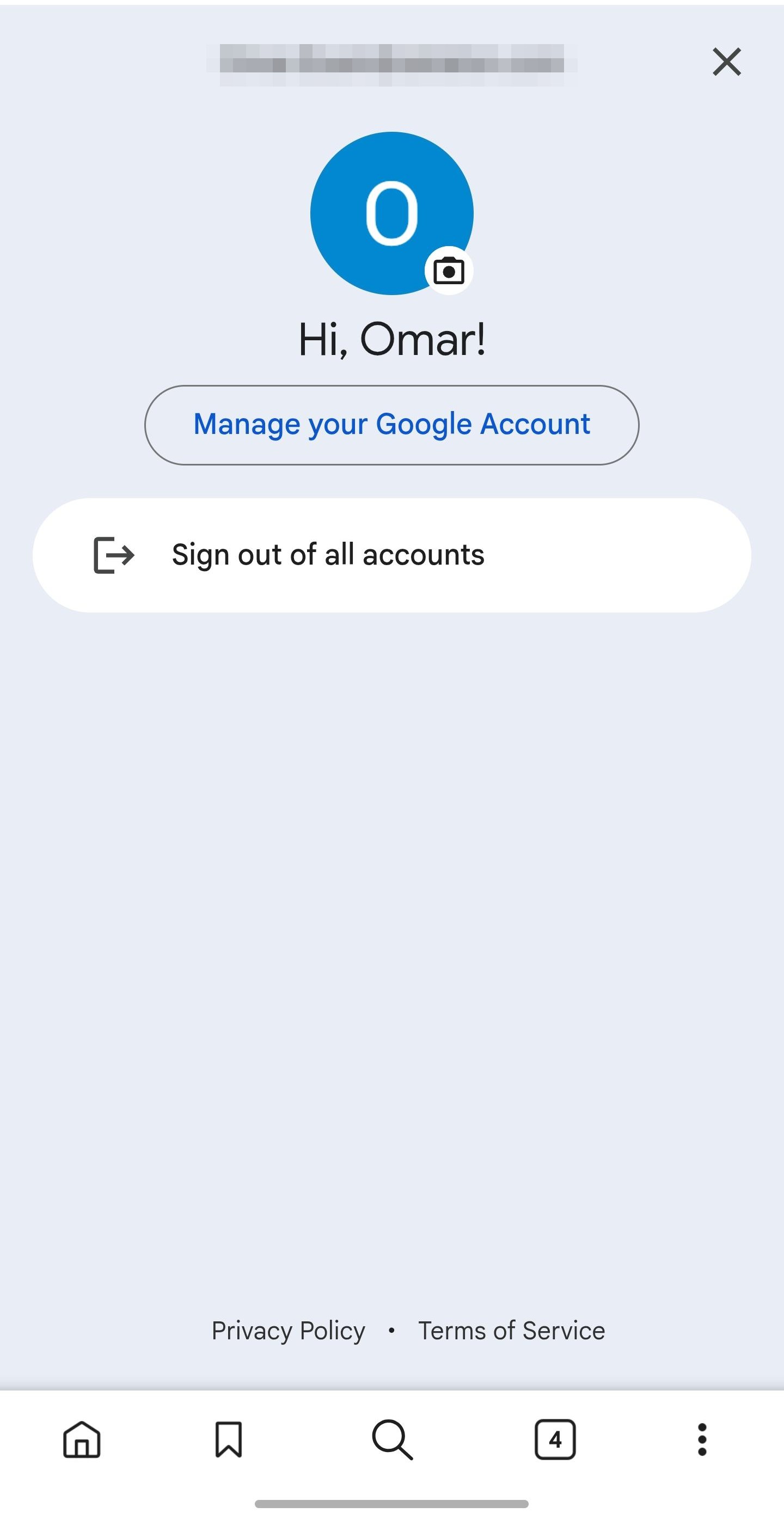
Confirm your Google account
Your testing invitation is tied to a specific Google account.
- 1Open the Google Play Store.
- 2Tap your profile icon in the top-right corner.
- 3Check that you’re signed into the same email address that received your Nerveli invitation.
- 4If needed, switch accounts or add another Google account before continuing.
Accept your invitation
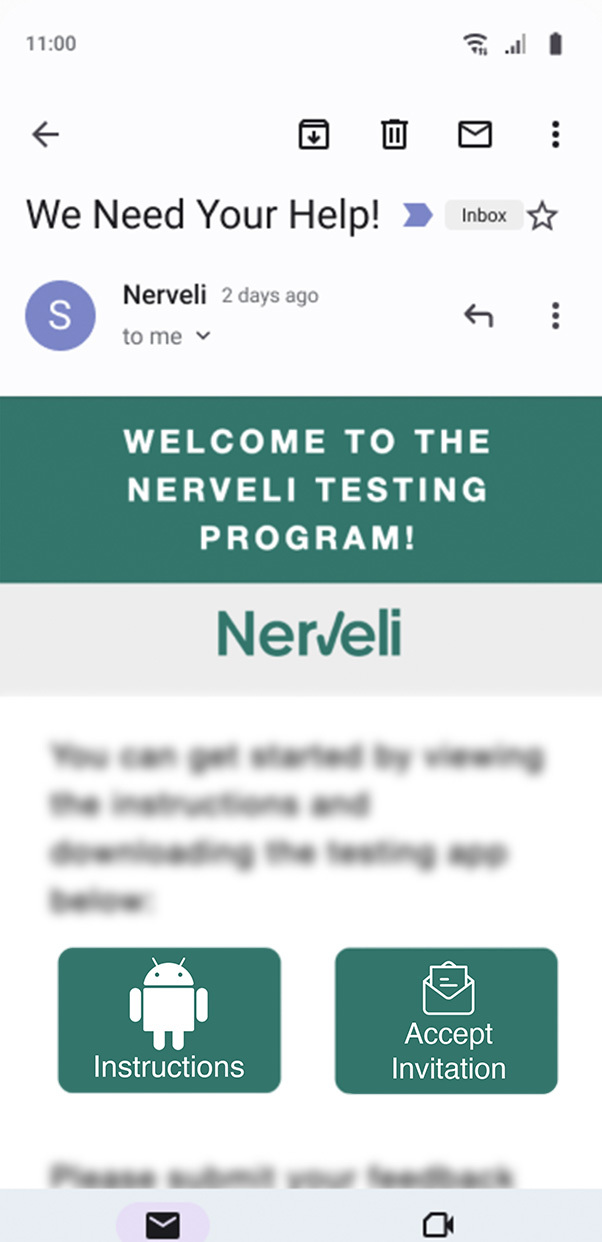
- 1Open your Nerveli invitation email on your Android device.
- 2Tap Accept Invitation in the email to open Nerveli in the Google Play Store.
- 3On the tester page, select Become a tester.
- 4Once confirmed, tap Download Nerveli on Google Play.
Install the Nerveli testing app
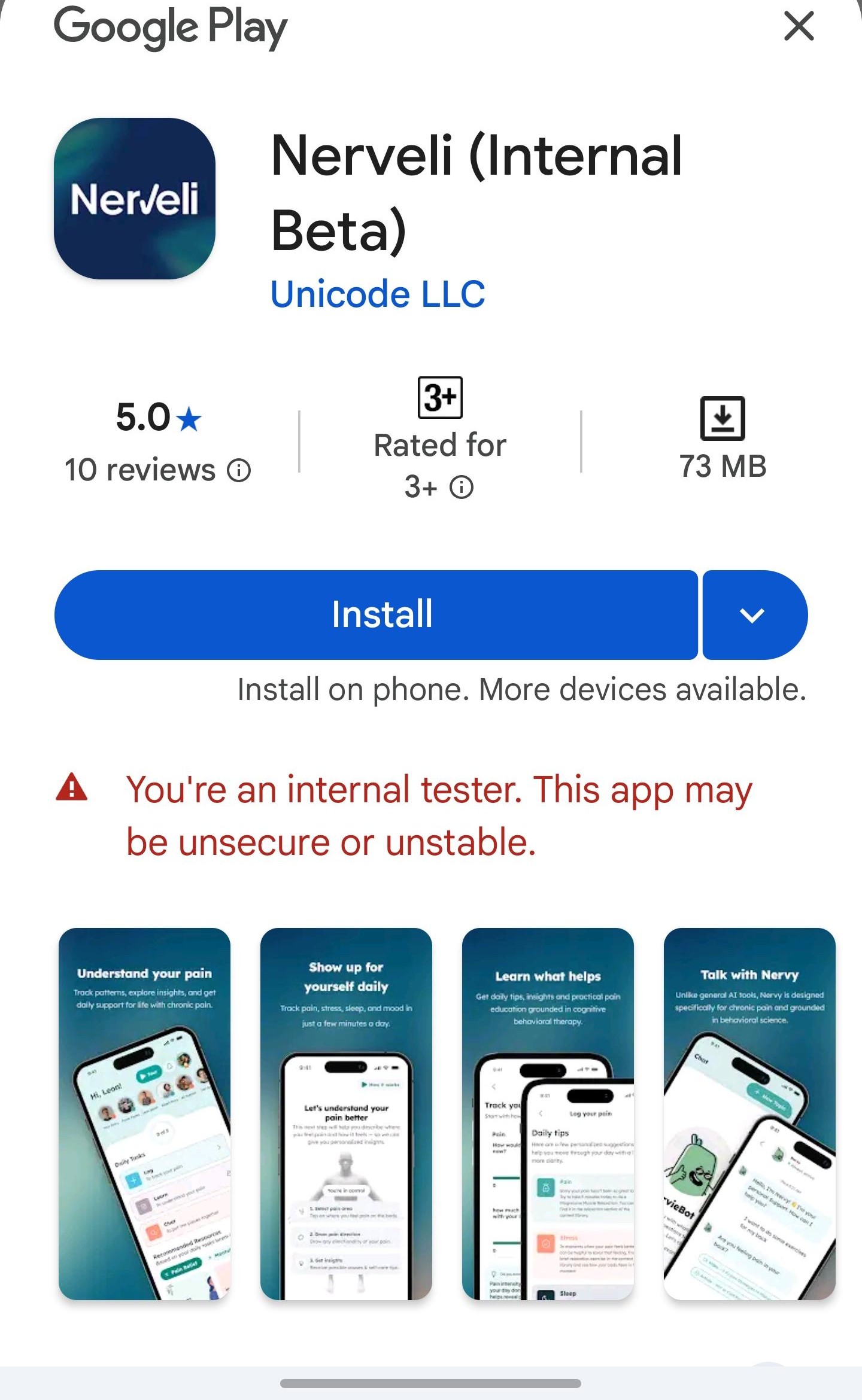
- 1Tap Install.
- 2Wait for the download to finish.
- 3Tap Open to launch the app.
If the Play Store says the app isn’t available yet, wait 15–30 minutes and try again. It can take time for Google to activate tester access.
You’re all set!
Keeping Nerveli up to date
From time to time, we’ll release new versions of Nerveli with bug fixes, improvements, and new features. Most Android phones will update apps automatically, but if you want the latest version right away, you can update it yourself through the Google Play Store.
Turn on automatic updates (recommended)
Once you turn this on, future versions of Nerveli will install automatically.
- 1Open the Google Play Store.
- 2Tap your profile picture (or initial) in the top-right corner.
- 3Tap Settings › Network preferences › Auto-update apps.
- 4Choose Over Wi-Fi only (recommended) or Over any network, then tap Done.
That’s it! Future updates will install automatically in the background.
Check for updates manually
If you don’t want to wait for an automatic update, you can check for updates anytime.
- 1Open the Google Play Store.
- 2Tap your profile picture (or initial) in the top-right corner.
- 3Tap Manage apps & device.
- 4Under Updates available, look for Nerveli.
- 5Tap Update next to Nerveli. (Or tap Update all to update all your apps at once.)
- 6Wait for the download to finish. The app will update automatically.
Update from the Nerveli app page
- 1Open the Google Play Store.
- 2Search for Nerveli.
- 3Tap Nerveli to open its app page.
- 4If a new version is available, you’ll see an Update button instead of Open. Tap Update.
- 5Once the update finishes, tap Open to launch the latest version.
Good to know: updating Nerveli won’t log you out or delete any of your data. Your app icon will also stay right where it is on your Home Screen.
Sharing feedback
Your feedback is one of the most valuable parts of the testing program. As you use Nerveli, we encourage you to share your thoughts, experiences, and any issues you encounter. Whether it’s a bug, a feature you’d like to see improved, or something you love about the app, your input helps shape the future of Nerveli.
Complete the testing feedback survey
When you’re ready to share feedback, please complete our tester feedback survey. The survey includes questions about:
- Your overall experience using Nerveli
- Features you found helpful
- Bugs or technical issues you encountered
- Suggestions for improvements
- Any additional feedback you’d like to share
Have screenshots or screen recordings you’d like included? Email us in addition to completing the survey.
Reporting urgent issues
If you experience a major bug, app crash, login issue, or anything that prevents you from using the app, please contact us directly so we can investigate as quickly as possible.
Email us with anything blocking you. We monitor this closely during testing.
If possible, include:
- What you were doing when the issue occurred
- What happened
- Any screenshots or screen recordings that may help us understand the problem
Thank you for taking the time to share your feedback. Every response helps us build a better Nerveli experience for our community.
Troubleshooting
Quick fixes for the most common setup hiccups.
I can’t find my invitation email.
Check your spam or junk folder. If it’s still missing, email us and we’ll resend it.
The app says it’s unavailable.
Wait 15–30 minutes after accepting the invitation and try again. Tester access can take time to activate.
The app won’t install.
Make sure you have enough storage space and a stable internet connection, then try again.
The app crashes or won’t open.
Close the app completely and reopen it. If the issue continues, send us feedback so we can investigate.
Good to know
- Test versions may receive frequent updates.
- Your data is protected using the same security standards as the public version of Nerveli.
- You can leave the testing program at any time.
- Nerveli is designed to support your wellness journey, but it is not a substitute for professional medical care. If you are experiencing a medical emergency, contact your healthcare provider or emergency services immediately.
Need help?
We’re here for you.
If you run into any issues during setup or while using the app, contact us.
Thank you for helping us build a better Nerveli.